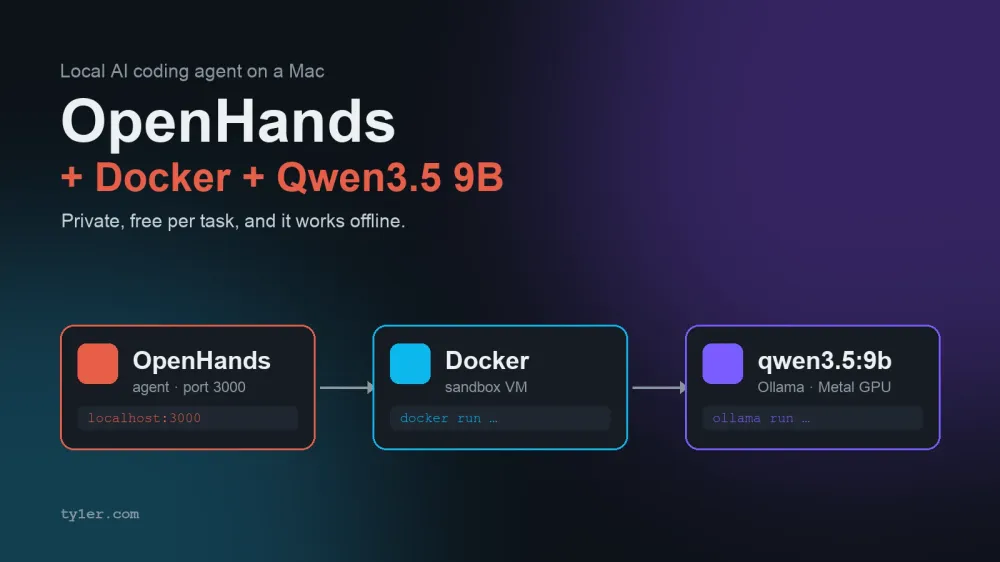
Every AI coding agent I've written about on this site so far sends your code to someone else's server. That's fine for most work. But sometimes you want the whole loop — the agent, the model, and the code — to stay on the laptop in front of you: no per-token bill, no code leaving the machine, and it keeps working on a plane.
This guide builds exactly that on a Mac: OpenHands as the agent, Docker Desktop as its sandbox, and Qwen3.5 9B running locally through Ollama as its brain. Everything here was checked on a 16 GB Apple M3 Mac running macOS 26.2, Docker Desktop 4.90, and Ollama 0.34 — the terminal screenshots are real output from that machine.
One honest expectation before you start: a 9-billion-parameter model is the laptop-sized option. It handles focused tasks well — add a function, write tests for one file, fix a specific bug — but it's noticeably less reliable than a frontier cloud model on long, multi-step jobs. OpenHands' own docs recommend the much larger Qwen3.6-35B-A3B if your Mac has the memory for it. On 16 GB, the 9B model is the one that fits.
What we're building
Three pieces, and the most important decision is where each one runs.
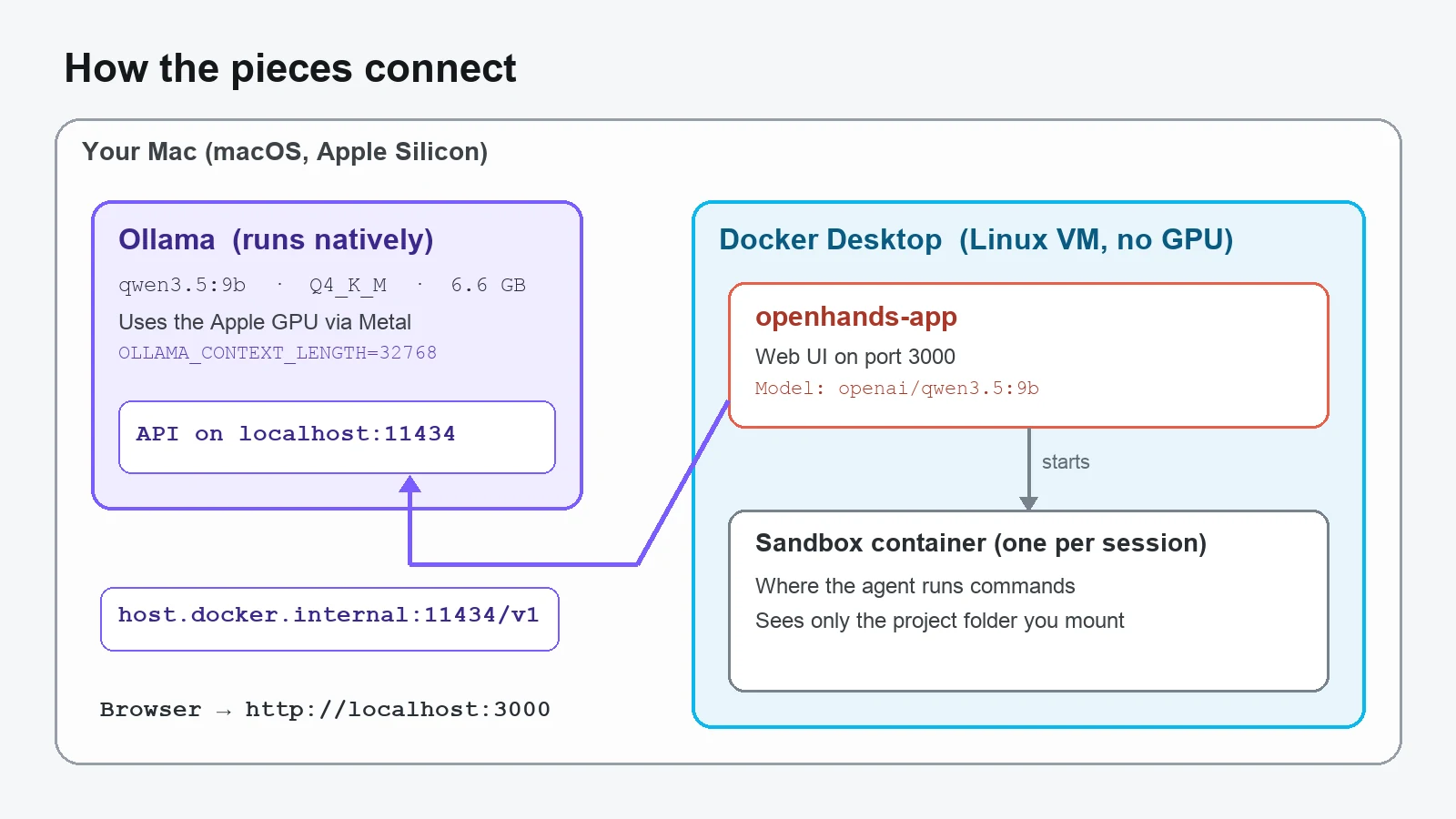
- Ollama and the Qwen model run natively on macOS, not in a container. This is the single biggest performance decision in the whole setup: Docker on a Mac runs everything inside a Linux virtual machine, and that VM cannot use the Apple GPU. Put Ollama in Docker and the model runs on CPU only, many times slower. Run it natively and it gets the M-series GPU through Metal.
- OpenHands runs in Docker, where it serves the web UI on port 3000.
- Each OpenHands session gets its own sandbox container, and that's where the agent actually runs commands. It never touches your Mac's shell directly.
Step 1: Install Docker Desktop and give it a sensible memory budget
Download Docker Desktop from docker.com, and pick the Apple Silicon (ARM64) build for any M-series Mac. Run uname -m if you're unsure — arm64 means Apple Silicon. Drag it to Applications, launch it once, and accept the agreement.
Or with Homebrew:
brew install --cask docker
open -a Docker
docker run hello-world
Now the part most guides skip. On a 16 GB Mac, three things compete for memory at once: macOS and your apps, the Docker VM, and the Qwen model itself (about 6.6 GB on disk, plus working memory for its context window). Docker Desktop's default is to reserve half your RAM for its VM — 8 GB on a 16 GB Mac — which OpenHands doesn't need and your model does.
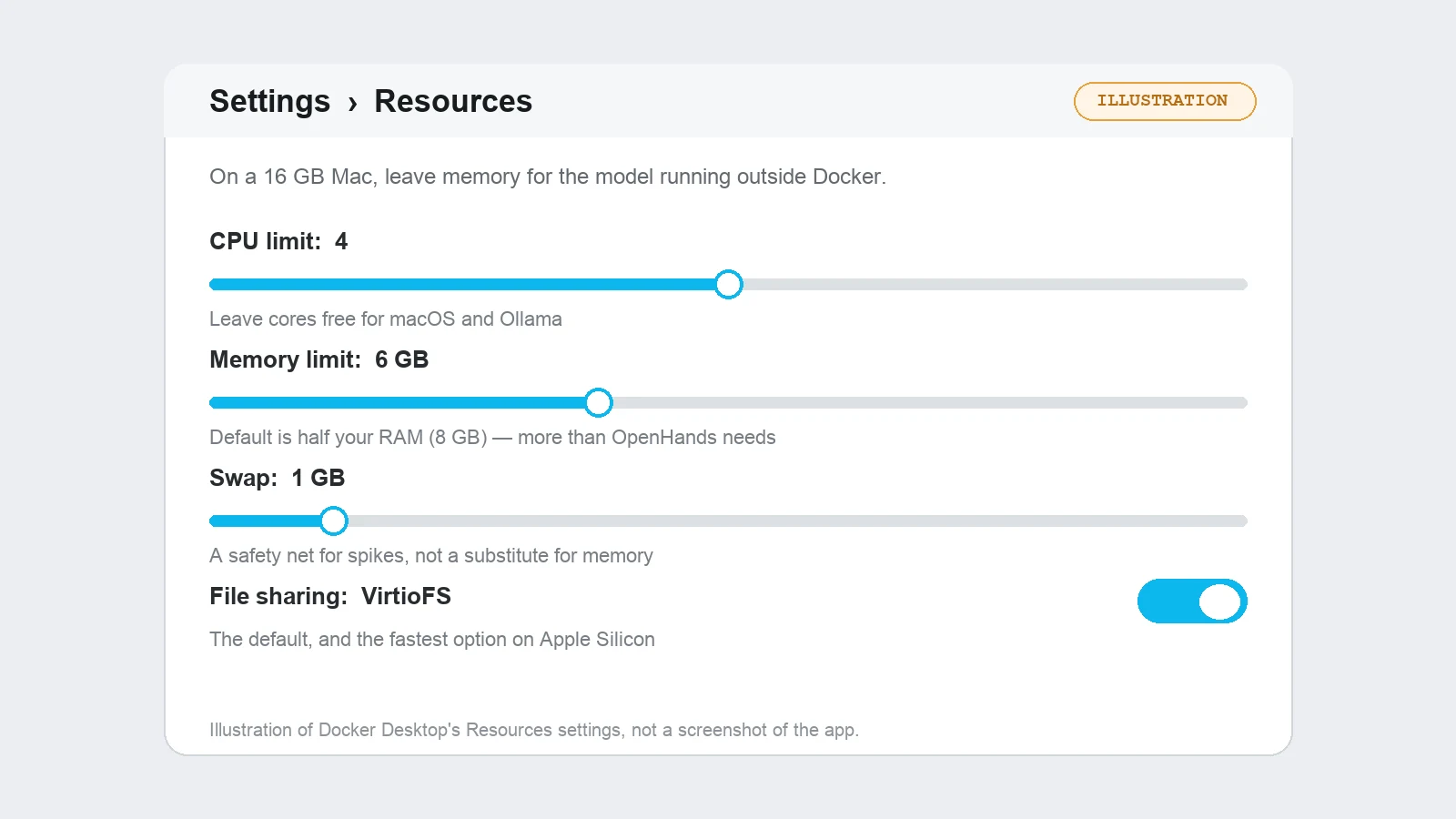
Open Settings → Resources and set the memory limit to around 4–6 GB, leave CPUs at 4 or so, and apply. Under Settings → General, leave file sharing on VirtioFS (the default and by far the fastest). Here's a rough budget that works on a 16 GB machine:
| What | Roughly |
|---|---|
| macOS, browser, editor | 4–5 GB |
| Docker VM (OpenHands + one sandbox) | 4–6 GB |
| Qwen3.5 9B weights (Q4_K_M) | ~6.6 GB |
| Model context memory at 32K tokens | a few GB more |
That adds up to "tight but workable." If things crawl, close the browser tabs you don't need before blaming the model — memory swapping is the usual culprit.
Step 2: Install Ollama and pull Qwen3.5 9B
Install Ollama from ollama.com (or brew install ollama), then pull the model:
ollama pull qwen3.5:9b
ollama show qwen3.5:9b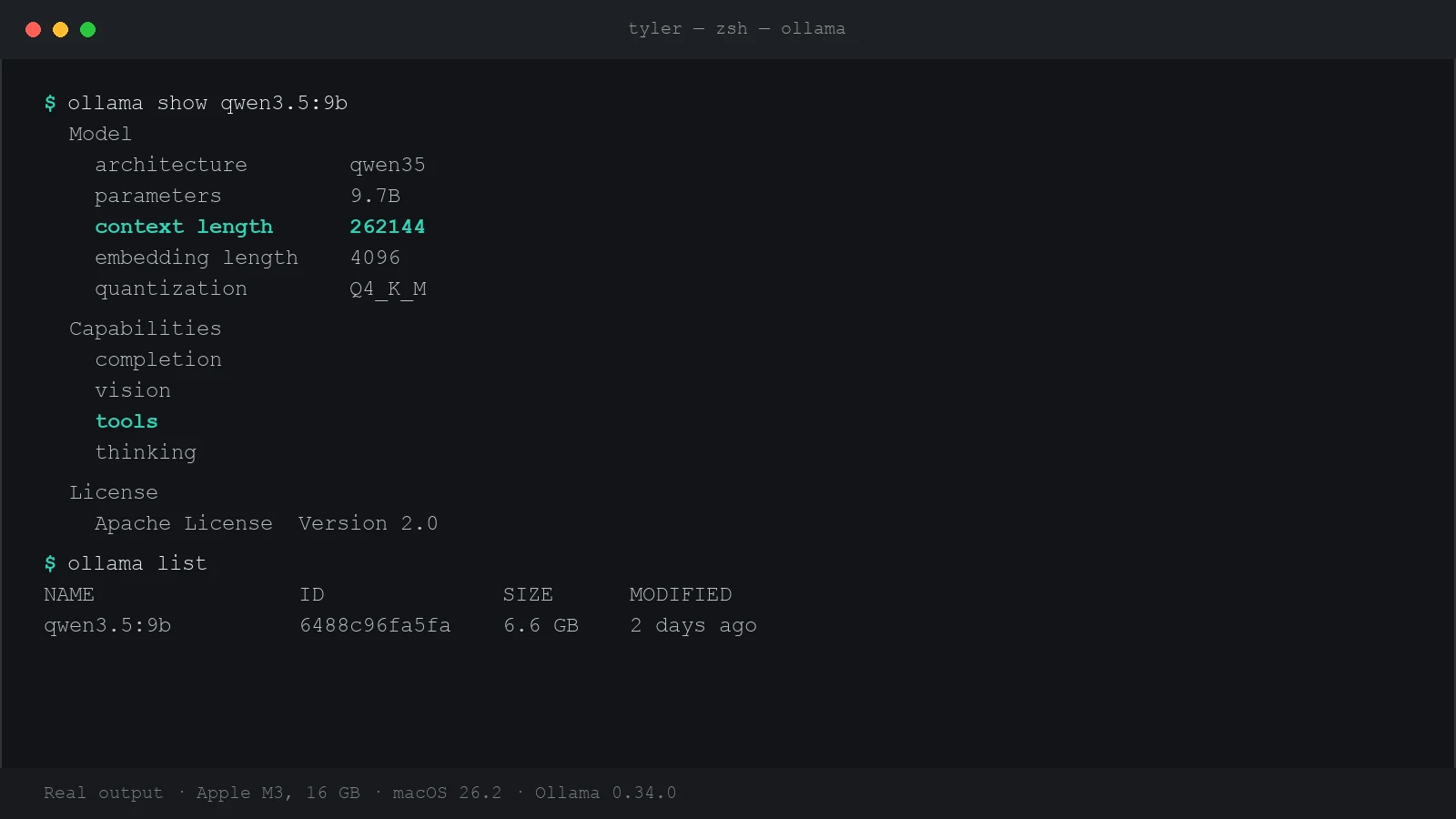
Two lines in that output matter for this setup. tools means the model supports function calling, which is how an agent asks to run a command or edit a file — a model without it can't drive OpenHands at all. And the 262144 context length is the model's maximum, not what Ollama actually gives it by default.
The one setting that silently breaks everything: context length
Ollama's default context window is only 4,096 tokens. OpenHands' own documentation is blunt about it: at that size, not even the agent's system prompt fits, and the agent won't behave correctly. It needs at least about 22,000 tokens, and 32,768 is the recommended value.
If you run Ollama from the terminal:
OLLAMA_CONTEXT_LENGTH=32768 OLLAMA_KEEP_ALIVE=-1 ollama serveIf you use the Ollama menu-bar app instead, set the variable for GUI apps and then quit and reopen Ollama:
launchctl setenv OLLAMA_CONTEXT_LENGTH 32768
launchctl setenv OLLAMA_KEEP_ALIVE -1
OLLAMA_KEEP_ALIVE=-1 keeps the model loaded between requests. Without it, Ollama unloads the model after a few idle minutes, and the agent's next step waits several seconds for a reload.
Test the endpoint before involving OpenHands
OpenHands talks to Ollama through its OpenAI-compatible API. Confirm that answers first, so any later problem is clearly on the OpenHands side:
curl -s localhost:11434/v1/models
curl -s localhost:11434/api/chat -d '{"model":"qwen3.5:9b","think":false,"stream":false,
  "messages":[{"role":"user","content":"In one sentence, what does a Dockerfile do?"}]}'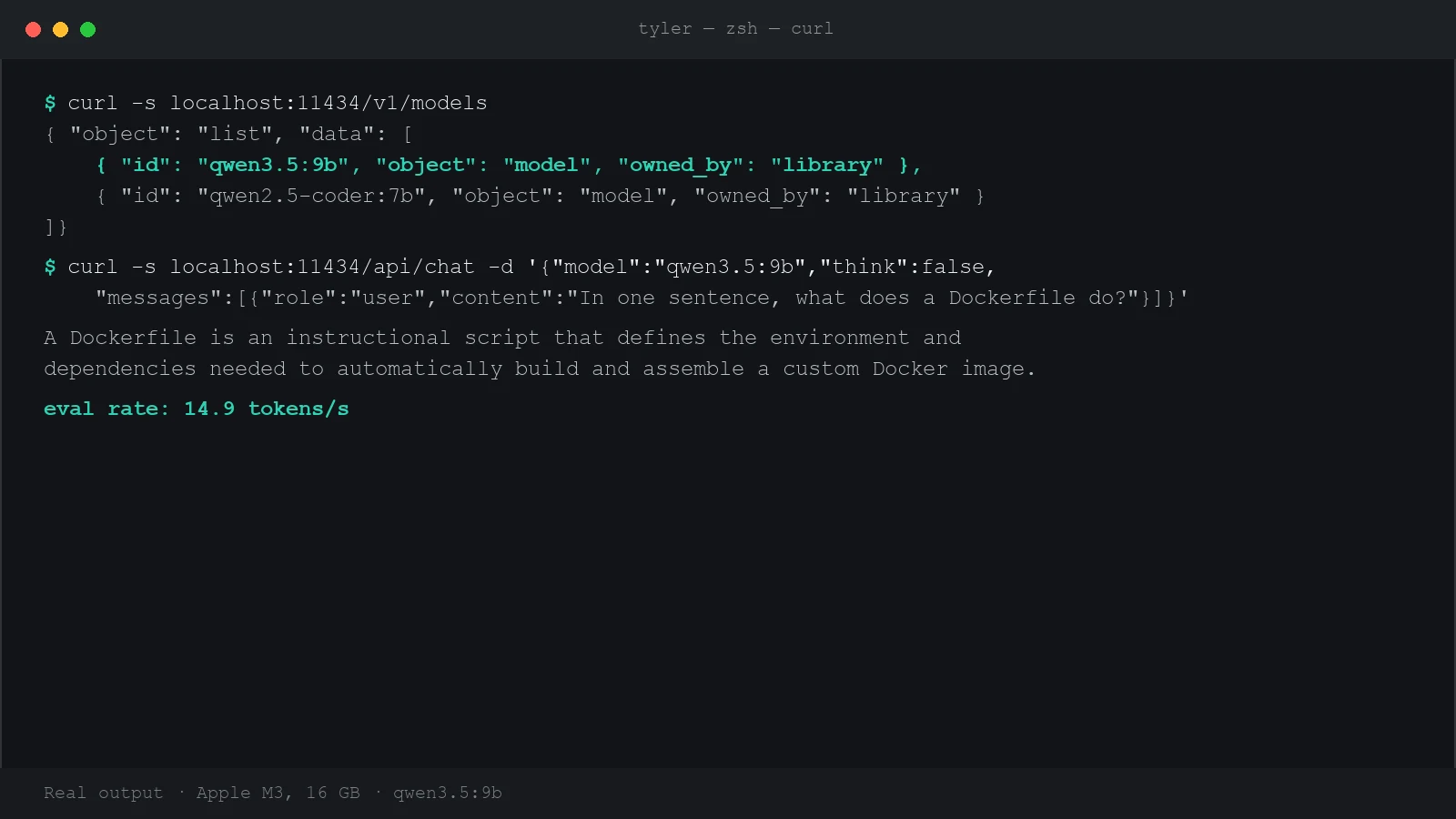
About 15 tokens per second is readable in a chat, but an agent generates a lot of text per step, so expect each OpenHands step to take noticeably longer than it would with a cloud model. That's the trade for running free and private.
Step 3: Run OpenHands in Docker
With Docker Desktop running, start OpenHands with the command from its local-setup docs:
docker run -it --rm --pull=always \
  -e AGENT_SERVER_IMAGE_REPOSITORY=ghcr.io/openhands/agent-server \
  -e AGENT_SERVER_IMAGE_TAG=1.26.0-python \
  -e LOG_ALL_EVENTS=true \
  -v /var/run/docker.sock:/var/run/docker.sock \
  -v ~/.openhands:/.openhands \
  -p 3000:3000 \
  --add-host host.docker.internal:host-gateway \
  --name openhands-app \
  docker.openhands.dev/openhands/openhands:1.8
The first run pulls a few gigabytes of images, so do it on real Wi-Fi rather than a phone hotspot. What each unusual flag is for:
-v /var/run/docker.sock:…lets OpenHands start a sandbox container for each session.-v ~/.openhands:/.openhandskeeps your settings and conversations between restarts.--add-host host.docker.internal:host-gatewayis what lets the container reach Ollama running on your Mac.
Prefer the terminal to a browser UI? The OpenHands CLI does the same job: uv tool install openhands --python 3.12, then run openhands inside your project folder. The model settings below are the same either way.
Step 4: Point OpenHands at your local Qwen
Open http://localhost:3000. In the LLM settings, click see advanced settings, turn on the Advanced toggle, and enter:
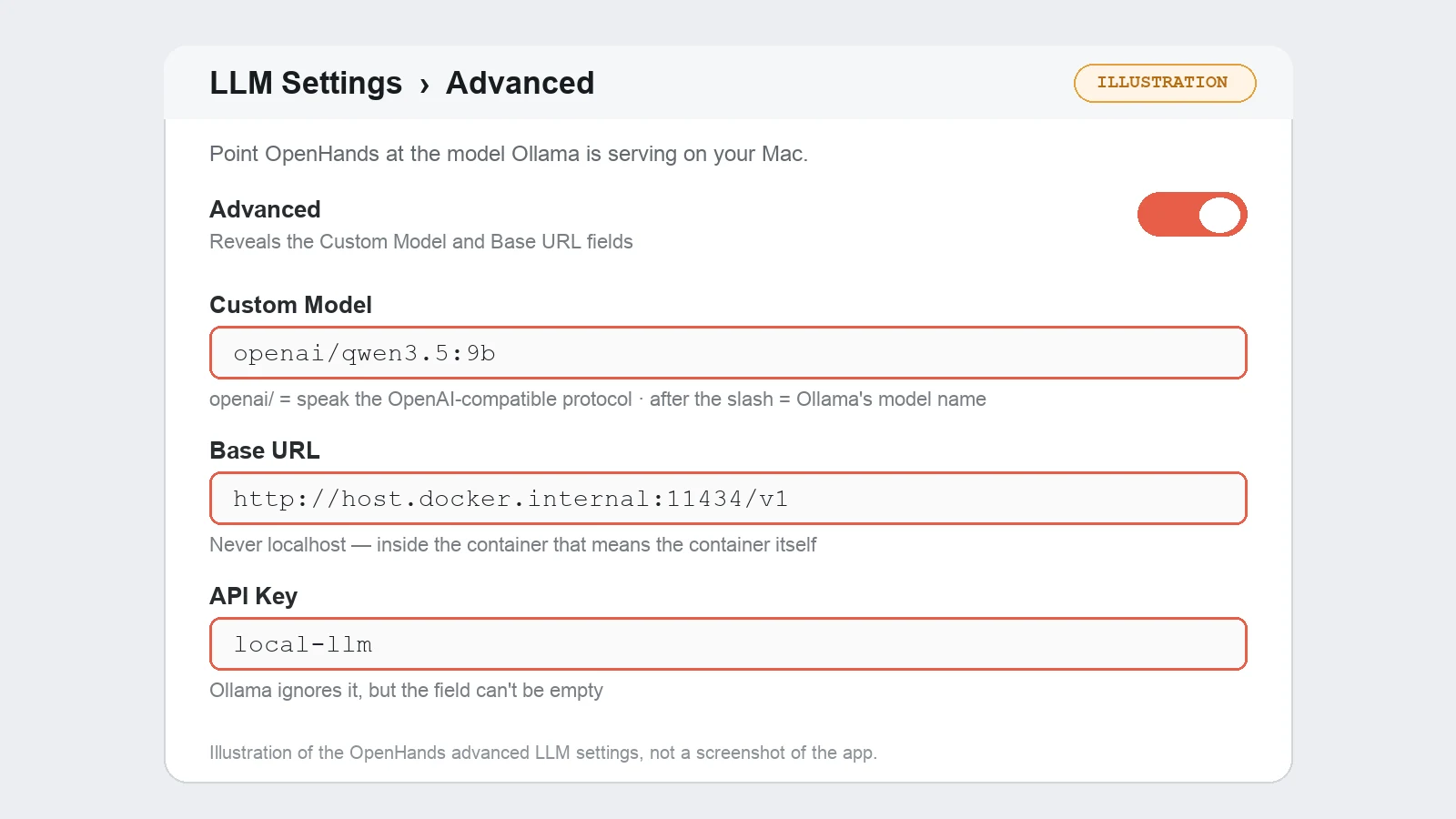
| Field | Value |
|---|---|
| Custom Model | openai/qwen3.5:9b |
| Base URL | http://host.docker.internal:11434/v1 |
| API Key | local-llm (any placeholder works) |
Two details trip people up here:
- The
openai/prefix is not a mistake. It tells OpenHands to speak the OpenAI-compatible protocol, which is exactly what Ollama's/v1endpoint provides. The part after the slash must match the model name Ollama lists. - Use
host.docker.internal, neverlocalhost. Inside the container,localhostmeans the container itself, where no Ollama exists.
Step 5: Give it a first task that suits a 9B model
Start small and specific. A good first task names the file and the outcome:
In utils/format.js, add a formatBytes(n) function that returns
human-readable sizes like "1.5 MB", and add Jest tests for it.
Tasks like that play to a small model's strengths. Vague, repo-wide requests like "refactor the app" are where a 9B model loses the thread. Keep OpenHands on its default confirmation mode for the first few runs, so you approve each command before it runs and can see how the model reasons.
When it doesn't work
- "Connection refused" or the model can't be reached. Check the Base URL says
host.docker.internal, notlocalhost. Also check the settings in the web UI itself: settings saved in the UI override environment variables, and a stalelocalhostvalue there is a known, frequently reported cause. If it still fails, restart Ollama bound to all interfaces withOLLAMA_HOST=0.0.0.0— but see the safety note below first. - The agent seems confused, forgets instructions, or loops. Almost always the 4,096-token default context. Confirm
OLLAMA_CONTEXT_LENGTHis set and Ollama was restarted after you set it. - The model prints a tool call as text instead of running it. This is a known behavior of qwen3.5:9b in some Ollama versions. Update Ollama first. If it persists, retry the step, or rephrase the task more concretely.
- Everything is extremely slow. Open Activity Monitor and check memory pressure. If it's red, the Mac is swapping: lower Docker's memory limit, close apps, or drop to a smaller model.
A short safety note
- Mount only the project you're working on. The sandbox can see whatever you mount into it, and nothing else. Don't mount your whole home folder.
- Be careful with
OLLAMA_HOST=0.0.0.0. It makes Ollama's API reachable by every device on your network, with no password. That's harmless at home and a bad idea on café or hotel Wi-Fi. Only use it if the default binding doesn't work, and switch it back afterwards. - Work on a branch. Autonomous multi-step edits are exactly when an easy
git resetearns its keep.
The verdict
This setup gives you a genuinely private coding agent that costs nothing per task and works offline once everything's downloaded. On a 16 GB Mac, Qwen3.5 9B is the right-sized model, and it's good at the focused, well-described jobs you'd hand a junior developer. For long autonomous sessions on big codebases, a larger local model or a cloud model will do better. The nice part is you don't have to choose once: OpenHands lets you swap the model in the settings whenever the task calls for it.
For every flag, setting, and gotcha in more depth, see the OpenHands cheatsheet and the Docker for macOS cheatsheet.